
Jump to content

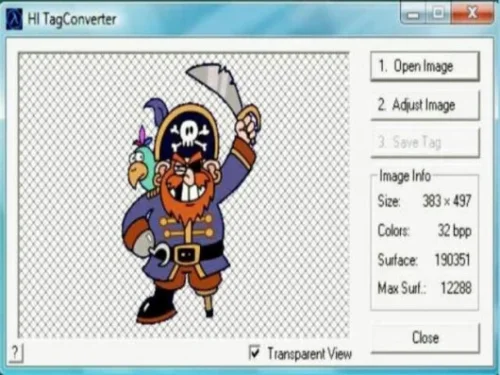
1 Screenshot

About This File

This is a simple and user-friendly program, perfect even for beginners.

All you need to do is open the image you want to use in CS by selecting “Open Image.” Then go to “Adjust Image” to prepare it properly. After that, choose “Convert into 256 colors” to optimize the image.

Finally, click “Save” and store it as a WAD file. In just a few easy steps, your image is ready to go!


User Feedback

Join the conversation

You can post now and register later. If you have an account, sign in now to post with your account.

Guest

  • This will not be shown to other users.
  • Unfortunately, your content contains terms that we do not allow. Please edit your content to remove the highlighted words below.
    Add a review...

    ×   Pasted as rich text.   Paste as plain text instead

      Only 75 emoji are allowed.

    ×   Your link has been automatically embedded.   Display as a link instead

    ×   Your previous content has been restored.   Clear editor

    ×   You cannot paste images directly. Upload or insert images from URL.

×
×
  • Create New...